
In this article
For years, the biggest frustration with AI image generation was keeping an image. You generate a perfect character, but the moment you try to put them in a new scene, they look like a completely different person. Or you try to change a background, and the AI accidentally mangles the product you were trying to feature. If keeping one face across a whole series is your main goal, our piece on visual storytelling with consistent character goes further into the craft.
With Flux Kontext Pro on Pixara.ai, those problems are no more. This is the first context-aware engine designed specifically to solve the consistency problem.
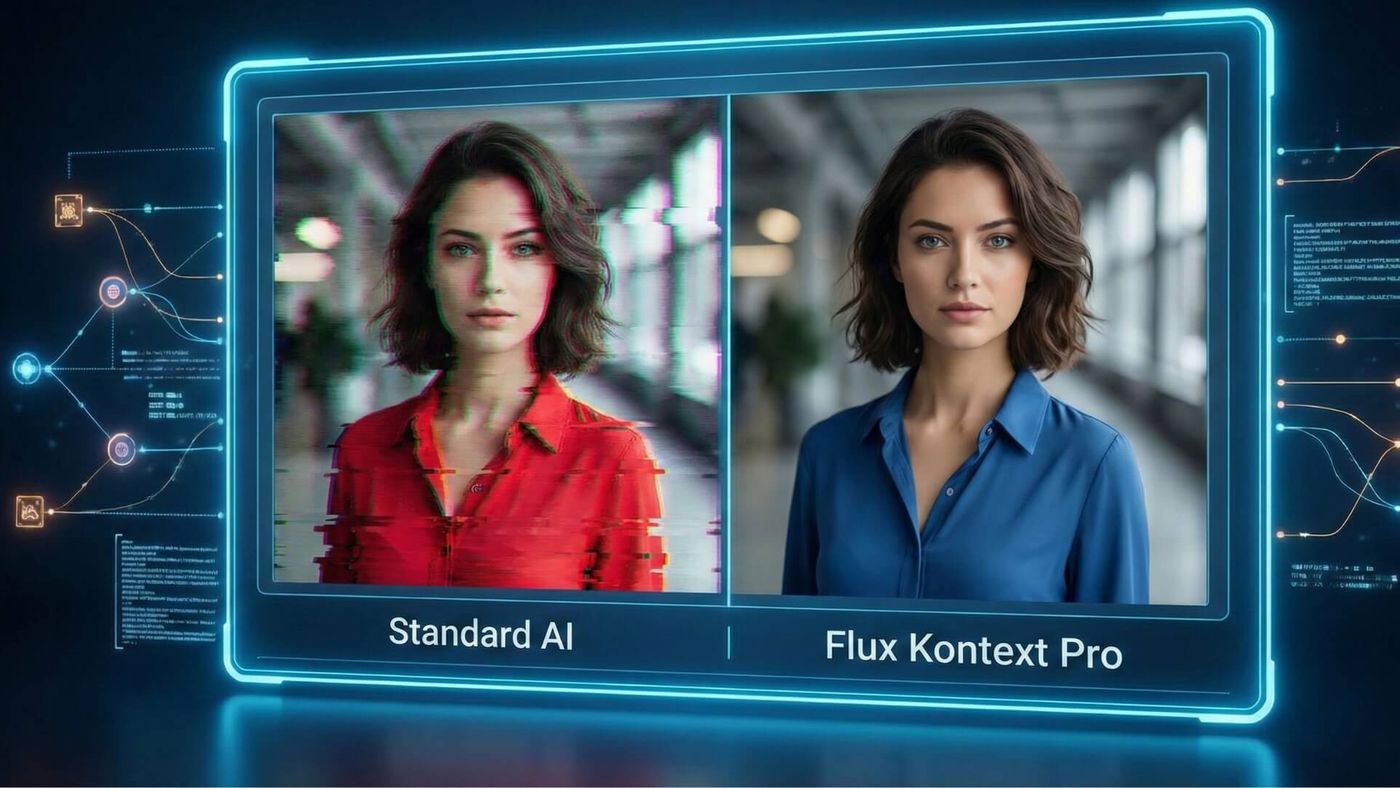
Below is a visual representation of the leap in quality you can expect. On the left, a standard AI's attempt at editing, resulting in glitches and inconsistencies. On the right, the seamless, context-aware result from Flux Kontext Pro.
What is Flux Kontext Pro?
Developed by Black Forest Labs, Flux Kontext Pro utilizes a new architecture known as Generative Flow Matching. Unlike traditional diffusion models that regenerate pixels from scratch every time, Kontext understands the semantic relationships between objects in your image.
Why It Changes Everything
1. True Character Consistency
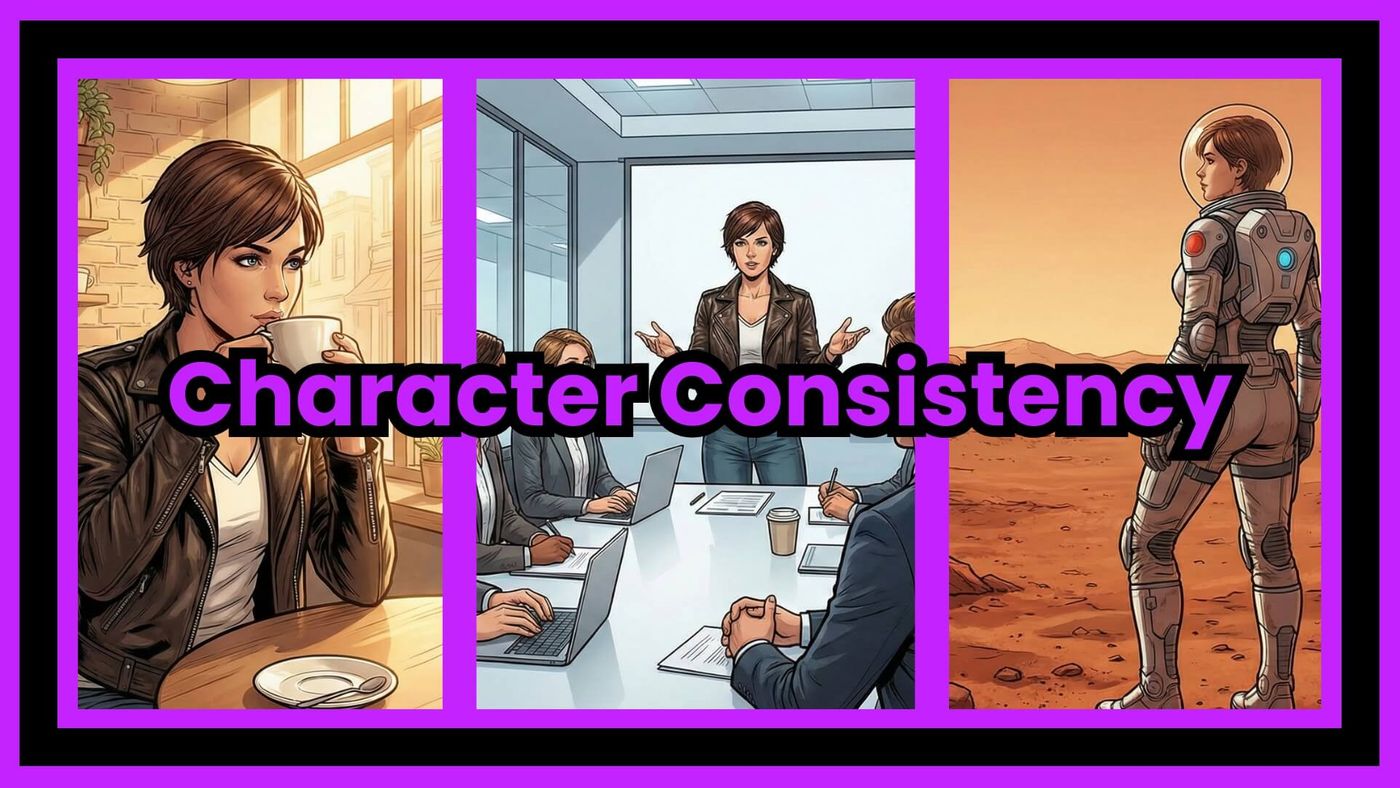
This is the feature that has Reddit threads exploding. You can now generate a character once and place them in a coffee shop, a boardroom, or on Mars, and they will look identical in every shot.
See for yourself in the image below, where the same character is seamlessly placed in three distinct environments.
2. In-Context Editing
Want to change a model's shirt from red to blue without altering the lighting, the wrinkles in the fabric, or their pose? Flux Kontext Pro handles this by understanding the context of the shirt within the lighting of the scene as it re-weaves the reality of the image. For quick outfit swaps on product or model shots, a dedicated AI clothes changer is built around exactly this kind of edit.
3. Enterprise-Grade Speed
A 2026 report by Bloomberg Intelligence highlighted that latency is the primary bottleneck for enterprise AI adoption. Flux Kontext Pro addresses this head-on, delivering high-resolution edits up to 8x faster than competitors like GPT Image 1.5.
Real-World Use Cases
- Take one product photo and use Flux Kontext Pro to generate fifty different lifestyle backgrounds. The product remains pixel-perfect, but the environment changes to target different demographics.
- Keep your brand's mascot consistent across newsletters, social media posts, and video thumbnails without needing a 3D rig.
- Directors can now swap actors or locations in their storyboards instantly during pitch meetings.
The image below demonstrates the power of Flux Kontext Pro for e-commerce, showing a single perfume bottle in three different, high-quality settings.

As TechCrunch recently put it, “Consistency is no longer a luxury; it is a standard.” Flux Kontext Pro sets that standard, and it is available right now in your Pixara dashboard. Try Flux Kontext Pro today on Pixara.ai.
Every model in this article, one credit balance
Every Pixara plan includes every model. See the credit cost before each generation and switch models without switching tools.
One click tells Google you prefer Pixara's coverage of AI video and image tools.
Keep reading
 How-to
Kling AI Commercial Use: What Each Plan Allows in 2026
Can you use Kling AI videos commercially? Explore 2026 plan permissions, subscription costs, credit limits, and licensing restrictions.
 How-to
How to Use Stable Diffusion XL For The Best Possible Realistic Details
A practical Stable Diffusion XL guide covering setup, prompting, seeds, sampling, CFG, LoRAs, ControlNet, inpainting, outpainting, and ComfyUI.
 How-to
Nano Banana 2 AI Image Editing: Full Guide
A practical guide to Nano Banana 2 prompting, covering natural language instructions, image editing, composition, lighting, styles, references, and more.