
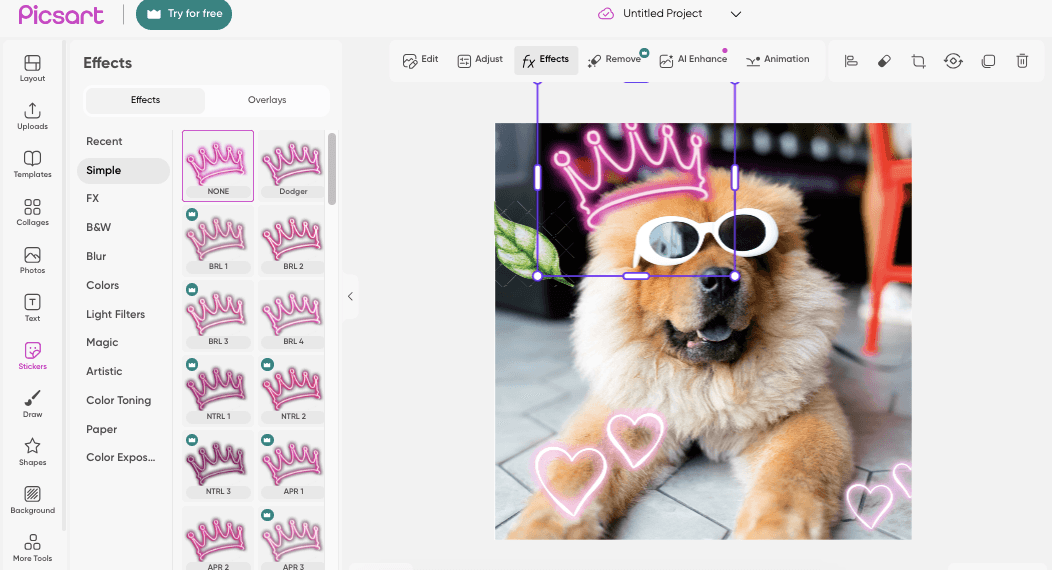
For years, Picsart has been the undisputed king of the mobile photo editing app market. It successfully bridged the gap between professional editing software and casual social media filters, offering a vibrant social creative editing platform where users could share stickers, remixes, and digital art. However, as we navigate through 2026, the landscape of digital creativity has fundamentally shifted.
The rise of generative AI has changed what users expect from an image editor. While Picsart has introduced its own AI tools, many creators are finding the interface increasingly cluttered, the subscription model aggressive, and the core editing experience bogged down by social features they do not use. Furthermore, professionals and serious hobbyists often find themselves outgrowing the mobile-first limitations of the platform, prompting searches for the best PicsArt alternatives for PC and desktop editing.
Whether you are looking for a free image editing app for Android and iOS without intrusive watermarks, a dedicated photo collage and sticker maker app, or a powerful AI-powered photo editor that can generate assets from scratch, the market is flooded with exceptional options.
We spent weeks testing the top contenders to bring you the definitive guide to the 10 best Picsart alternatives in 2026. Our top overall pick is Pixara.ai, which represents the next evolution of creative software by combining professional editing tools with state-of-the-art AI generation and workflow automation.
Why Users Are Leaving Picsart in 2026
To understand the search for a Picsart alternative, we must first look at the friction points within the app itself. Picsart’s strategy of being "everything to everyone" has resulted in a bloated user experience.
First, the aggressive monetization strategy is a major pain point. Many users searching for free photo editing apps with no watermark like Picsart are frustrated by the constant paywalls and pop-ups pushing the "Gold" subscription. Features that were once free are increasingly locked behind premium tiers.
Second, the app’s performance on older or mid-tier mobile devices has suffered as more features are crammed into the interface. The transition from a lightweight photo collage and sticker maker app to a heavy, AI-integrated social network has alienated users who just want to quickly crop a photo or apply a filter.
Finally, the professional ceiling is relatively low. When users ask, "PicsArt vs Canva: which is better for creative photo editing?" they are often bumping up against Picsart's limitations in handling complex, multi-layered design projects or vector graphics, pushing them toward desktop-class alternatives.
How to Evaluate a Picsart Alternative
Before diving into our top 10 list, it is crucial to establish an evaluation framework. Not all alternatives serve the same purpose. To ensure you find the right tool for your specific workflow, consider these four criteria:
1. AI Integration and Asset Generation
In 2026, an editor must do more than adjust contrast. Look for platforms that function as a true AI-powered photo editor. This means the ability to generate images from text prompts, seamlessly remove or replace backgrounds, and use generative fill (inpainting) to add or remove objects from an existing photo without leaving visible traces.
2. Platform Availability (Mobile vs. Desktop)
Are you editing on the go, or do you need the precision of a mouse and keyboard? If you are searching for the best PicsArt alternatives for mobile photo editing in 2025 and beyond, you need an app optimized for touch. If you are doing client work, you need robust cloud syncing and a powerful desktop interface.
3. Template and Asset Libraries
Picsart is famous for its massive library of community-generated stickers and templates. If you rely on these for quick edits, your alternative needs a comparable library. Evaluate whether the platform offers high-quality, royalty-free stock photos, fonts, and pre-designed layouts for social media.
4. Pricing and Watermarks
The most common search query in this space is for a free image editing app for Android and iOS. However, "free" often comes with caveats. Evaluate whether the free tier forces a watermark onto your exported images, restricts export resolution, or limits access to essential tools.
1. Pixara.ai (Best Overall Picsart Alternative)

Pixara.ai is our definitive number one choice for anyone looking to upgrade from Picsart in 2026. It represents a paradigm shift in how we approach digital creativity, moving beyond simple photo manipulation into a comprehensive, AI-driven production suite..
Why it beats Picsart: While Picsart added AI features as an afterthought to an existing mobile app, Pixara.ai was built from the ground up as a native AI-powered photo editor. It aggregates the world’s most powerful generation models—including FLUX 2 Pro, Midjourney, and Nano Banana Pro—into a single, unified interface.
If you are looking for PicsArt alternatives with AI background remover and filters, Pixara.ai handles these tasks flawlessly. However, its true differentiator is its workflow automation. Instead of manually applying a filter, removing a background, and adding text step-by-step, Pixara.ai allows you to build a no-code workflow that automates the entire process. You can generate an image, upscale it, remove the background, and format it for an Instagram Story with a single click. This makes it infinitely more powerful for marketers and creators than Picsart's manual mobile interface.
Best for: Content creators, marketers, and digital artists who want to combine professional photo editing with state-of-the-art AI generation and automated workflows.
Pricing: Pixara.ai offers highly transparent, bundled pricing starting at $10/month (billed annually), making it a cost-effective replacement for multiple separate creative subscriptions.
Pros:
- Built-in access to industry-leading AI image generation models.
- Powerful no-code workflow automation saves hours of manual editing.
- Flawless AI background removal and generative fill capabilities.
- Clean, professional interface without intrusive social networking features.
Cons:
- The comprehensive, professional-grade feature set may have a steeper learning curve for users who only want to add a quick sticker to a selfie.
2. Canva (Best for Graphic Design and Social Media)

When users ask, "PicsArt vs Canva: which is better for creative photo editing?", the answer depends on the end goal. While Picsart is better for manipulating a single photo, Canva is the undisputed king of turning that photo into a finished design.
Why it beats Picsart: Canva is the ultimate social creative editing platform for businesses and creators. It offers an unparalleled library of templates, fonts, and stock assets. If you need to create a YouTube thumbnail, an Instagram carousel, or a presentation, Canva’s drag-and-drop interface is vastly superior to Picsart.
In 2026, Canva’s "Magic Studio" has evolved into a formidable AI-powered photo editor. Its Magic Eraser, Magic Edit (inpainting), and background removal tools are incredibly intuitive and fast. Furthermore, Canva’s desktop browser experience is flawless, making it one of the best PicsArt alternatives for PC and desktop editing.
Best for: Social media managers, small business owners, and anyone who needs to quickly create polished, template-driven graphic design assets.
Pricing: Canva offers a very robust free tier. Canva Pro, which unlocks premium templates, the brand kit, and advanced Magic Studio AI tools, is $14.99/month.
Pros:
- The best template library in the industry for social media and marketing.
- Seamless transition between mobile app and desktop browser.
- Excellent collaborative features for teams.
- Highly intuitive Magic Studio AI tools.
Cons:
- Less focused on deep, pixel-level photo manipulation (like frequency separation or advanced dodging/burning) than dedicated photo editors.
3. Snapseed (Best for Mobile Photo Editing)

Developed by Google, Snapseed remains one of the most powerful and respected mobile photo editing apps on the market. It is the perfect antidote to Picsart's bloated, ad-heavy interface.
Why it beats Picsart: If you are searching for the best PicsArt alternatives for mobile photo editing in 2025 and 2026, Snapseed is the purist’s choice. It is a completely free image editing app for Android and iOS with absolutely no watermarks, no ads, and no premium subscription tiers.
Snapseed focuses entirely on the art of photo editing. It offers professional-grade tools like curves, white balance adjustments, raw file editing, and selective adjustments using control points. Its "Healing" tool is excellent for removing blemishes or unwanted objects. It lacks the social network and sticker libraries of Picsart, which for many users, is its biggest selling point.
Best for: Photography purists, hobbyists, and users who want a powerful, ad-free mobile editing experience without the clutter of social features.
Pricing: 100% Free. No ads, no watermarks, no subscriptions.
Pros:
- Completely free with professional-grade editing tools.
- Supports RAW image editing on mobile.
- Clean, distraction-free, gesture-based interface.
- Excellent selective adjustment tools.
Cons:
- Lacks modern generative AI features (like text-to-image or generative fill).
- No built-in template library or collage maker.
4. Adobe Express (Best for Adobe Ecosystem Integration)

Adobe Express is Adobe’s direct answer to Canva and Picsart, designed to bring the power of Creative Cloud to a more accessible, template-driven mobile and web interface.
Why it beats Picsart: Adobe Express is a powerhouse AI-powered photo editor because it is backed by Adobe Firefly. This means its generative AI features—such as text-to-image, generative fill, and text effects—are commercially safe and incredibly high quality.
If you are looking for PicsArt alternatives with AI background remover and filters, Express handles this with Adobe's signature precision. It also serves as an excellent bridge tool; you can start a quick edit on your phone in Express and seamlessly move the asset into Photoshop or Illustrator on your desktop if you need more complex manipulation.
Best for: Users who want commercially safe AI generation, those already invested in the Adobe ecosystem, and creators who need high-quality templates.
Pricing: Offers a solid free tier. The Premium plan is $9.99/month and is included with most Creative Cloud subscriptions.
Pros:
- Powered by Adobe Firefly for high-quality, commercially safe AI generation.
- Seamless integration with Photoshop and Illustrator.
- Excellent library of Adobe Stock assets and fonts.
Cons:
- The mobile app can occasionally feel heavy and slow on older devices compared to Snapseed.
- The interface is slightly less intuitive than Canva for absolute beginners.
5. Bazaart (Best for Photo Collages and Stickers)

If the primary reason you use Picsart is to create fun, layered social media posts, Bazaart is the most direct 1:1 replacement on the market.
Why it beats Picsart: Bazaart is arguably the best photo collage and sticker maker app available today. It takes the core functionality that made Picsart popular—layering images, cutting out subjects, and adding graphics—and streamlines it into a much faster, more elegant iOS and Android app.
Its "Magic Background Eraser" is incredibly fast, allowing you to instantly cut out a subject and drop them onto a new background or into a complex collage. Bazaart also offers a massive library of high-quality, trendy stickers, backgrounds, and fonts that feel more curated and less chaotic than Picsart's community-uploaded library.
Best for: Social media influencers, digital scrapbookers, and users who love creating layered, sticker-heavy collages for Instagram and TikTok.
Pricing: Bazaart offers a free tier with limited features. Bazaart Premium is $11.99/month, unlocking the full asset library and advanced cutout tools.
Pros:
- Exceptionally fast and accurate background removal tool.
- Beautifully curated library of stickers, fonts, and templates.
- Highly intuitive interface for managing multiple layers in a collage.
Cons:
- The free tier is quite restrictive compared to Snapseed or Canva.
- Lacks deep, professional color grading or RAW editing tools.
6. PhotoDirector (Best for AI Enhancements)

Developed by CyberLink, PhotoDirector is a robust mobile photo editing app that heavily leans into AI-powered enhancements and visual effects.
Why it beats Picsart: PhotoDirector excels at taking a mundane photo and turning it into something visually striking. It is a fantastic AI-powered photo editor for users who want to apply complex effects with a single tap.
Beyond standard color correction, PhotoDirector offers AI sky replacement, AI object removal, and incredible animation tools that can make static elements (like water or clouds) move, turning your photo into a dynamic video or GIF. If you are looking for PicsArt alternatives with AI background remover and filters, PhotoDirector's AI tools are highly polished and less prone to crashing than Picsart's.
Best for: Users who want to easily apply dramatic AI effects, sky replacements, and turn static photos into animated social media posts.
Pricing: Free to download with basic features. The Premium subscription, which unlocks all AI tools and premium effects, is typically around $6.99/month.
Pros:
- Excellent AI sky replacement and animation tools.
- Strong object removal and background manipulation features.
- Good balance of traditional editing tools and flashy AI effects.
Cons:
- The interface can feel a bit dated compared to modern apps like Bazaart.
- Aggressive push toward the premium subscription in the free version.
7. VSCO (Best for Vintage Film Aesthetics)

VSCO (Visual Supply Company) started as a preset creator for Lightroom and evolved into a massive social creative editing platform. It remains the gold standard for achieving a specific, high-end aesthetic.
Why it beats Picsart: While Picsart's filters often feel harsh or overly processed, VSCO is famous for its subtle, film-emulation presets. If you want your mobile photos to look like they were shot on Kodak Portra or Fuji Superia, VSCO is unmatched.
It is also a much calmer social creative editing platform. Unlike Picsart's chaotic feed of stickers and memes, the VSCO community is focused on high-quality, minimalist photography. It offers advanced editing tools, including HSL curves and split toning, making it a favorite among mobile photographers who prioritize mood and color grading.
Best for: Mobile photographers, Instagram creators, and users who want high-end, subtle film-emulation filters rather than flashy AI effects.
Pricing: The app is free with a limited selection of basic presets. VSCO Membership, which unlocks hundreds of premium film presets and advanced editing tools, is $29.99/year.
Pros:
- The best, most subtle film-emulation presets in the industry.
- A calm, photography-focused social community.
- Advanced color grading tools (split toning, HSL).
Cons:
- Very limited AI generation or manipulation features.
- Not suited for creating collages, adding text, or graphic design.
8. Photoroom (Best for E-commerce and Product Photography)

Photoroom has carved out a massive niche by focusing intensely on one specific use case: making product photography look professional instantly.
Why it beats Picsart: If you are selling items on Depop, Poshmark, Etsy, or Shopify, Photoroom is vastly superior to Picsart. It is an AI-powered photo editor designed specifically for commerce. You snap a photo of a product (even in terrible lighting on a messy desk), and Photoroom instantly removes the background with pixel-perfect accuracy.
It then allows you to drop the product onto AI-generated backgrounds—such as a marble countertop, a sunlit studio, or a solid white backdrop—complete with realistic AI-generated shadows and reflections. It is the ultimate PicsArt alternative with AI background remover capabilities specifically tuned for objects rather than people.
Best for: E-commerce sellers, small business owners, and anyone who needs to quickly generate professional product photography from their phone.
Pricing: Offers a free tier with a Photoroom watermark. The Pro version, which removes the watermark and unlocks high-res export and batch editing, is $9.99/month.
Pros:
- The most accurate background removal tool for product photography.
- Incredible AI-generated backgrounds with realistic shadows.
- Batch editing feature allows you to process dozens of products at once.
Cons:
- Highly specialized for products; less versatile for portraits or landscapes.
- The free version includes a noticeable watermark.
9. Pixlr (Best for Beginners and Quick Fixes)

Pixlr has been a staple in the online photo editing world for years, offering both a robust mobile app and an excellent browser-based editor, making it one of the best PicsArt alternatives for PC and desktop editing.
Why it beats Picsart: Pixlr offers a highly accessible interface that is less intimidating than Picsart. It actually splits its platform into two experiences: Pixlr X (for quick, automated edits and templates) and Pixlr E (for more advanced, layer-based editing similar to Photoshop).
It is an excellent free photo editing app with no watermark like Picsart, provided you stay within the daily save limits of the free tier. It has recently integrated a suite of AI tools, including generative fill and AI object removal, making it a highly capable, lightweight alternative for users who want to edit quickly in their web browser or on their phone.
Best for: Beginners, students, and users who want a lightweight, browser-based editor for quick fixes and simple graphic design.
Pricing: Pixlr offers a free tier with daily save limits and ads. Premium plans start at $1.99/month, making it one of the most affordable options on this list.
Pros:
- Excellent browser-based desktop experience.
- Two distinct interfaces (X and E) cater to different skill levels.
- Highly affordable premium tiers.
Cons:
- The mobile app is not quite as polished as the desktop browser version.
- The AI generation tools are not as advanced as Pixara.ai or Adobe Express.
10. Polarr (Best for Video and Photo Filter Consistency)

Polarr bridges the gap between photo and video editing, focusing heavily on creating custom filters and maintaining a consistent aesthetic across all your media.
Why it beats Picsart: While Picsart struggles with video editing, Polarr excels at it. It is a powerful mobile photo editing app that allows you to create highly complex, custom filters (which they call "Styles") and apply them seamlessly to both your photos and your videos.
Polarr is unique because it allows users to create and share these Styles via QR codes. This has created a massive community of filter creators. If you want your Instagram feed and your TikTok videos to have the exact same color grading and aesthetic, Polarr is the best tool for the job.
Best for: Content creators who want to maintain a perfectly consistent color aesthetic across both their photos and their short-form videos.
Pricing: Polarr offers a free tier with basic tools. Polarr Pro, which unlocks video editing, premium Styles, and advanced overlay tools, is $3.99/month.
Pros:
- Apply custom filters consistently across both photos and videos.
- Massive community sharing custom Styles via QR codes.
- Excellent overlay and blending tools.
Cons:
- The interface can be confusing for new users.
- Lacks the advanced generative AI features of newer platforms.
Deep Dive: How to Transition Your Workflow Away from Picsart
Moving away from an app you have used for years can be daunting, especially if you have built a specific workflow around its quirks and features. Here is a guide on how to transition your creative process to the alternatives listed above.
Replacing the Picsart Sticker Workflow
One of the most common reasons people stay with Picsart is the massive sticker library. If you are moving to a tool like Canva or Bazaart, the transition is relatively seamless. Both platforms offer extensive, searchable asset libraries.
However, if you are moving to a more professional AI-powered photo editor like Pixara.ai, you will shift from searching for stickers to generating them. Instead of scrolling through hundreds of low-quality user uploads to find a "neon glowing skull," you simply type "neon glowing skull, transparent background, vector art style" into Pixara.ai's prompt box. The AI generates a unique, high-resolution asset instantly. This represents a shift from a consumer mindset to a creator mindset.
Upgrading from Mobile to Desktop Editing
Many users eventually hit the "mobile ceiling." They want to create more complex compositions, but manipulating 15 different layers on a 6-inch smartphone screen becomes an exercise in frustration. If you are searching for the best PicsArt alternatives for PC and desktop editing, your workflow will change significantly.
Tools like Adobe Express and Pixlr offer cloud syncing. You can start a quick color correction on your phone while on the train, and when you get to your desk, open the browser version to handle the complex layer masking and typography with a mouse and keyboard. This hybrid workflow is the standard for modern digital creators.
Mastering AI Generative Fill
If you have never used a true AI-powered photo editor before, "Generative Fill" (also known as inpainting) will be the most transformative tool you learn. In Picsart, if you wanted to remove a photobomber from the background of your selfie, you had to meticulously use the clone stamp tool, which often left blurry, repetitive patterns.
In tools like Pixara.ai or Adobe Express, you simply paint a rough mask over the photobomber and click "Generate." The AI analyzes the surrounding pixels and generates a completely new, seamless background to fill the space. You can also use this tool to add elements. Paint a mask on an empty table in your photo, prompt the AI with "a steaming cup of coffee," and the AI will generate the cup, complete with accurate shadows and lighting that match the original photo.
The Future of Mobile Photo Editing in 2026 and Beyond
As you evaluate these 10 Best Picsart Alternatives in 2026, it is important to understand the broader trends shaping the industry. The era of the simple "filter app" is over.
The Rise of the "Invisible Interface"
The most significant trend is the move toward intent-based editing. Instead of navigating menus to find the "Brightness," "Contrast," and "Saturation" sliders, users will simply type or speak their intent: "Make this photo look like it was taken at golden hour on a vintage film camera." The AI will understand the intent and automatically adjust the necessary parameters. We are already seeing the early stages of this in tools like Pixara.ai and Canva's Magic Studio.
Automated Batch Processing for Creators
For social media managers and e-commerce sellers, time is the most valuable commodity. The future of these platforms lies in automated batch processing. Photoroom is already pioneering this for e-commerce, allowing users to remove the background from 50 product photos simultaneously.
Platforms like Pixara.ai are taking this further with workflow automation. In the near future, a creator will be able to upload a single raw photo, and the platform will automatically color correct it, generate a YouTube thumbnail, crop a 9:16 version for TikTok, and apply the creator's specific brand watermark to all assets—all without manual intervention.
The Ethics of AI Manipulation
As AI tools become more powerful, the line between a "photograph" and a "digital creation" is blurring. Platforms are beginning to implement Content Credentials—metadata embedded in the image file that tracks what AI tools were used to alter the image. As you choose a Picsart alternative, consider whether the platform supports these ethical standards, especially if you are using the images for journalism, documentary work, or commercial advertising.
Conclusion & Strategic Takeaway
Picsart was a foundational tool for a generation of mobile creators, but the digital landscape of 2026 requires more power, precision, and automation than a bloated social editing app can provide. Whether you are frustrated by aggressive paywalls, slow performance, or a lack of true generative AI capabilities, the alternatives on the market today offer a massive upgrade in functionality.
Strategic Takeaway: Choosing the right tool—whether it is the pure editing power of Snapseed, the template mastery of Canva, or the all-in-one AI workflow automation of Pixara.ai—is the first step in elevating your creative output. However, simply downloading a new app is not enough.
To truly scale your content creation, you must integrate these AI-powered tools into a repeatable production pipeline. Transitioning from manual, single-photo editing to automated, AI-driven workflows will save you hours of manual labor. Partnering with an expert agency to design and implement these creative workflows will ensure you maximize the ROI of your new software stack, turning your visual assets into a true engine for brand growth.
Deep Dive: The Economics of Creative Software in 2026
When evaluating a Picsart alternative, it is essential to understand the shifting economics of creative software. The days of buying a software license outright are long gone, replaced by complex subscription models and token economies. Understanding these structures will help you choose an alternative that fits not just your creative needs, but your budget.
The Problem with "Freemium" Bloat
Picsart's current monetization model is a classic example of "freemium" bloat. The app is free to download, but the user experience is intentionally degraded with advertisements, pop-ups, and locked features to incentivize upgrading to the "Gold" tier. For many users, this creates a hostile environment where the app feels like it is constantly working against them.
When searching for a free image editing app for Android and iOS, you must evaluate how the app is monetized. Snapseed, for example, is truly free because it is subsidized by Google's broader ecosystem. Canva offers a generous free tier because its business model relies on converting enterprise teams and small businesses to its Pro tier, allowing it to treat individual free users as a massive acquisition funnel rather than an immediate revenue source.
The Rise of the AI Token Economy
As you move toward an AI-powered photo editor, you will encounter the token economy. Generating an image from scratch using a model like FLUX 2 Pro or DALL-E 3 requires significant server-side GPU compute power. This compute is expensive.
Therefore, platforms like Adobe Express or Midjourney (often integrated into workflows via tools like Pixara.ai) use a credit or token system. You pay a monthly subscription fee, which grants you a certain number of "fast generations" or "generative credits."
When evaluating these tools, transparency is key. Some platforms use opaque token systems where different actions cost different amounts of tokens (e.g., generating an image costs 1 token, but upscaling it costs 5). This makes it incredibly difficult to predict your monthly software costs.
Why Bundled Suites Offer the Best ROI
This economic reality is the primary reason we ranked Pixara.ai as the number one Picsart alternative. For professional creators and marketers, tool fragmentation is the enemy of ROI.
If you are paying $15/month for Canva for templates, $10/month for Photoroom for background removal, and $20/month for an AI image generator, your software stack is costing you $45/month, and your workflow is fragmented across three different interfaces.
Pixara.ai solves this by bundling these capabilities—AI generation, background removal, upscaling, and workflow automation—into a single, transparently priced subscription starting at $10/month. By consolidating your tools, you not only reduce your monthly software expenditure but also drastically reduce the time spent moving assets between different apps. In 2026, the most cost-effective software is the software that automates the most manual labor.
Case Studies: Real-World Transitions from Picsart
To illustrate the practical benefits of moving to a new platform, let's look at three common user profiles and how transitioning to a specific alternative improved their workflow.
Case Study 1: The Social Media Manager
The Problem: Sarah managed Instagram accounts for three local businesses. She used Picsart to create promotional graphics, but the app was slow, and finding consistent, professional-looking stickers for different brands was impossible.
The Solution: Sarah transitioned to Canva.
The Result: By utilizing Canva's Brand Kit feature, Sarah uploaded the logos, color palettes, and fonts for all three businesses. She could now apply these brand guidelines to any template with a single click. Her content creation time was cut in half, and the output looked significantly more professional and consistent than her previous Picsart creations.
Case Study 2: The Vintage Clothing Reseller
The Problem: Mark sold vintage clothing on Depop. He used Picsart's cutout tool to remove messy bedroom backgrounds from his product photos, but the edges were always jagged, and the process took 5 minutes per photo.
The Solution: Mark transitioned to
Photoroom. The Result: Mark used Photoroom's batch editing feature. He could snap 20 photos of different shirts, upload them all at once, and Photoroom automatically removed the backgrounds with pixel-perfect accuracy, replacing them with a clean, well-lit studio backdrop. What used to take an hour now took less than two minutes, allowing him to list more inventory faster.
Case Study 3: The Digital Marketing Agency
The Problem: A boutique marketing agency used a combination of Picsart (for quick mobile edits) and Photoshop (for complex desktop work) to create ad creatives. The workflow was disjointed, and incorporating AI-generated assets required moving files between three different programs.
The Solution: The agency transitioned their entire team to
Pixara.ai. The Result: The agency utilized Pixara.ai's no-code workflow builder. They created an automated pipeline where an account manager could input a text prompt describing a new ad concept. Pixara.ai automatically generated the image, upscaled it, removed the background, and formatted it for both Facebook and Instagram dimensions. The agency consolidated their software stack, reduced manual editing time by 70%, and significantly increased their creative output capacity.