

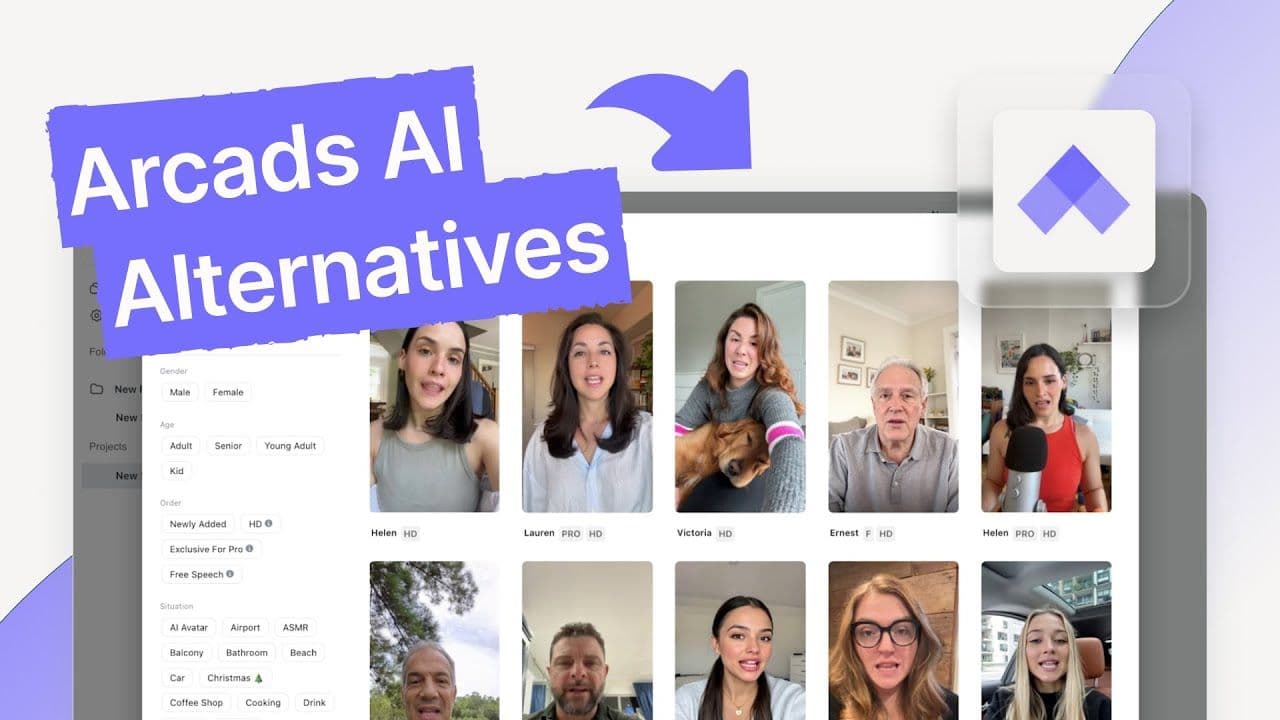
If you have been using Arcads for AI generated UGC videos, you probably already know why the platform gets attention. It can produce polished looking videos with AI avatars, the interface feels relatively clean, and the overall concept makes sense for brands that need advertising creatives without booking actors, cameras, studios, and production teams.
But there is another side to the experience.
For some creators and smaller businesses, the cost starts to feel difficult to justify. Managing demos and creating different variations can take more time than expected, while getting an AI generated person to deliver a convincing product experience can still be surprisingly difficult.
That is where the search for Arcads alternatives begins.
The question is not simply, “What tool can make an AI avatar video?”
There are plenty of those.
The more useful question is, “What can I use when I want realistic UGC style ads, more creative control, access to multiple AI video models, reasonable pricing, and a chance to test the platform before committing money?”
That matters because AI video has changed quickly during 2026. Creators now have access to models and platforms capable of generating increasingly realistic people, product scenes, voices, environments, and short form advertising content.
So, if you are looking for the best Arcads alternatives, you have more options than you did even a year ago.
I spent time looking at the major platforms in this space with a simple goal: find tools that can produce content that a brand could genuinely consider using for TikTok, Meta, social media campaigns, product marketing, and other performance focused creative work.
One important point before we get into the list: Arcads is not a bad product.
It has several things going for it.
The problem is that its pricing, model access, trial availability, and product generation capabilities may not fit every creator or business.
Why Are People Looking for Arcads Alternatives?

Arcads can make sense when you want a straightforward way to produce AI avatar based advertising content. The platform has a sizeable avatar selection, the output can look polished, and the interface does not feel unnecessarily complicated.
For a brand that already knows what kind of UGC content it wants to produce, those advantages can be useful.
The problem starts when your requirements become broader.
Maybe you want to put your actual product into a generated scene.
Maybe you want access to several leading AI video models instead of being tied to one generation system.
Maybe you are a small business and do not want to spend more than $100 every month before you have even tested the product.
Maybe you want to experiment with different creative concepts before committing to a subscription.
Or perhaps you simply want one workspace where image generation, video generation, voiceovers, editing, workflows, and newer AI models are available without jumping between a dozen different platforms.
Those are some of the reasons creators start searching for an Arcads competitor.
Where Arcads Works Well
Arcads has a few practical advantages that are worth acknowledging before comparing alternatives.
Its avatar library is one of them. The source material describes more than 300 customizable AI avatars, giving creators plenty of options when they need different presenters, demographics, appearances, and personalities for advertising concepts.
The output quality can also be quite polished. For brands that want something that resembles professionally produced UGC advertising, this can be useful.
Generation speed is another positive. The source notes that videos are generally produced in under five minutes, which makes the platform practical when you need to create multiple concepts without waiting around for long rendering sessions.
There is also a relatively straightforward product experience. You do not necessarily need to spend days learning complicated video production software before creating your first piece of content.
For a marketer who wants to move quickly from script to avatar video, that simplicity has value.
Where Arcads Starts to Feel Limiting
The biggest issue for many creators comes down to cost.
The source material puts Arcads at more than $110 per month, which can be a significant recurring expense for a freelancer, startup, small ecommerce brand, or creator who is still experimenting with AI video.
That becomes more noticeable when there is no free trial available.
When you can test a product before paying, you can evaluate avatar quality, rendering speed, realism, editing controls, and the general workflow against your own requirements.
Without that opportunity, you are committing money before knowing how well the platform will work for your specific content.
Then there is model access.
AI video development is moving quickly, and creators are increasingly interested in platforms that give them access to multiple models. The source specifically highlights models such as Sora 2, Veo 3.1, and Kling 2.5 as examples of technologies available across competing platforms.
That matters because different models can produce very different results.
- One may be better for realistic people.
- Another may produce more convincing movement.
- Another may handle cinematic scenes better.
- Another may work well for product focused creative.
Having access to multiple models gives creators more room to match the generation technology to the job.
Product In Hand Content Can Be a Problem
This is another important consideration for ecommerce brands.
AI avatar videos are useful, but many product advertisers need something more specific. They want a person holding the actual product, demonstrating it, applying it, unboxing it, wearing it, or interacting with it naturally.
The source identifies the lack of product in hand generation as one of the reasons people may look elsewhere.
For an ecommerce company selling skincare, clothing, supplements, electronics, food, accessories, or household products, this capability can matter more than simply having a large avatar library.
The person in the video is only one part of the creative.
The product needs to look right too.
If the AI generated product changes shape, loses branding, develops strange textures, or behaves inconsistently from scene to scene, the resulting ad can become difficult to use.
Analytics Are Another Consideration
Arcads also has limitations around analytics according to the source material.
Generating an ad is one thing.
Knowing how that ad performs after it goes live is another.
Performance marketers eventually want to understand which creative generated clicks, conversions, purchases, leads, or other meaningful actions.
If the video platform provides limited performance insight, marketers may need external advertising and analytics platforms to understand what happened after the creative was published.
For someone creating a few videos occasionally, this may not matter much.
For an ecommerce company producing dozens or hundreds of creatives, it can become much more important.
What Should You Look for in an Arcads Alternative?
Before picking another platform, it helps to decide what you actually need.
There is no single tool that will fit every creator.
Someone producing five social videos a month has completely different requirements from an ecommerce company creating hundreds of advertising variations.
Here are the areas I would pay attention to.
Pricing
Look beyond the headline monthly price.
Check how many videos you can generate, how many credits are included, whether premium models require additional payment, and whether unused credits roll over.
A platform that looks cheap at first can become expensive if every useful generation consumes a large number of credits.
Free Access or Trial Availability
This is particularly important if you are new to AI video.
A free plan or trial gives you a chance to see what the platform can produce with your own prompts and products.
You can test realism, voice quality, avatar movement, product consistency, rendering speed, and editing options before making a larger commitment.
AI Model Selection
Model choice is becoming increasingly important.
A platform with several models can give you more creative flexibility than one built around a single generation system.
Look for access to the models that are relevant to your workflow, particularly if you create both short UGC ads and more cinematic or product focused content.
Product Generation
If you run an ecommerce business, this deserves serious attention.
Check how the platform handles product images, product references, packaging, logos, clothing, accessories, and physical interactions.
A convincing AI person is useful.
A convincing AI person holding a product that still looks exactly like your product is much more useful for many advertising campaigns.
Editing and Workflow Features
Generating a video is only one step.
You may also need to trim clips, change captions, adjust audio, create multiple versions, generate images, produce voiceovers, and move assets into different campaign formats.
Having those capabilities in one workspace can save considerable time.
Automation
Automation becomes increasingly valuable when you are producing content at scale.
If you can provide a product URL, upload product assets, generate multiple scripts, create several versions, and prepare different creatives from the same source material, the time savings can be substantial.
That is particularly relevant for ecommerce businesses managing dozens or hundreds of products.
The Arcads Alternatives Worth Looking At
After looking at the major options, the list below focuses on platforms that solve different parts of the problem.
Some are designed around ecommerce automation.
Some are focused on affordability.
Some provide broader AI creative capabilities.
Others put more emphasis on campaign management or video editing.
For this list, the first position goes to a platform that takes a broader view of AI content creation rather than treating UGC video as a standalone feature.
The goal is not simply to replace an Arcads avatar.
It is to give creators more room to produce, test, edit, and scale different types of content from one workspace.
1. Pixara.ai: Best All Around Arcads Alternative for AI Content Creation

If you are looking for an Arcads alternative but want more than an AI avatar generator, Pixara takes a broader approach to content creation.
The platform brings a large collection of AI image and video models together inside one interface, which means you do not need to keep switching between separate services every time you want to test another generation model.
That can make a noticeable difference for creators.
- Imagine you are preparing a campaign for a skincare brand.
- You may need product images first.
- Then you need lifestyle scenes.
- Then you want an AI generated person demonstrating the product.
- Then you need short video variations for social advertising.
- Then you need voiceovers.
- Then you need different versions for different audiences.
Doing all of that across separate platforms can become messy very quickly.
A consolidated creative workspace makes the process much easier to manage.
The platform also gives creators access to workflows, Ara, and MCP support, adding another layer for people who want to build repeatable creative processes or connect AI agents to their content workflow.
A Large Collection of AI Models
One of the biggest reasons to consider this platform as an Arcads competitor is model access.
The source material lists models and technologies such as Seedance 2.5, Kling, Veo, Midjourney, Nano Banana, Nano Banana 2, GPT Image 2, Seedream 5 Lite, and Reve 2.1 across the available plans.
That gives creators considerably more flexibility than a workflow built around one AI generation model.
You can choose the technology based on the creative task.
- Need an image?
- You have several options.
- Need video?
- You have several options.
Want to experiment with newer models as they become available?
A multi model workspace can make that much easier.
This is particularly useful in 2026 because AI models are changing so quickly. A tool that gives you access to multiple models can reduce the need to maintain several separate subscriptions.
Workflows and Ara
The workflow functionality is another part worth paying attention to.
The platform allows creators to chain models visually, while Ara can help build workflows for you.
That opens up possibilities beyond generating one video at a time.
For example, a creator could build a repeatable process around product content where an initial product image feeds into image generation, video generation, voice creation, and rendering.
The benefit is less repetitive setup.
Once you have a workflow that works for your content, you can reuse the process for future projects.
For agencies handling multiple clients, this type of repeatability can be particularly useful.
MCP Support

The MCP support adds another layer for creators who are building AI assisted workflows outside the platform itself.
According to the supplied information, MCP can connect the platform with Claude, Cursor, ChatGPT, or another agent using credits from the selected plan.
That means the platform can sit inside a broader AI workflow rather than operating as an isolated video creation website.
For creators who simply want to make a few videos, this may not be necessary.
For agencies, developers, automation focused teams, and advanced creators, it can open up more interesting possibilities.
Pricing
Pricing is another reason this platform deserves attention when comparing best Arcads alternatives.
The supplied pricing information shows four main plans: Starter, Hobby, Pro, and Ultimate.
Starter is listed at $10 per month when billed annually and includes 4,000 credits each month.
Hobby is listed at $15 per month when billed annually and includes 15,000 monthly credits.
Pro is listed at $24 per month when billed annually and includes 36,000 monthly credits.
Ultimate is listed at $100 per month when billed annually and includes 150,000 monthly credits.
The higher plans also increase storage, concurrent generations, video generation capacity, image generation capacity, voiceover minutes, and rendering minutes.
For creators comparing these prices with a platform costing more than $100 per month, the difference is worth considering.
You are also getting access to a much broader creative environment rather than only an avatar video generator.
What Makes It Useful for UGC Creators?
The biggest advantage here is flexibility.
You can start with an idea for a UGC advertisement and take it through several creative stages without necessarily moving your entire project across different services.
You might generate the product visual, create supporting imagery, produce a video, add a voiceover, experiment with another model, and build a workflow for future variations.
That makes the platform particularly interesting for creators who do not want their entire content strategy tied to one AI video format.
It can also make sense for agencies.
An agency might have one client asking for UGC ads, another asking for ecommerce product imagery, and another requesting social videos.
Having access to a broad collection of creative models from one workspace can reduce the number of tools required across those projects.
The Bottom Line
For someone looking specifically for a free Arcads alternative, the first thing to check is the current availability of free generations and trial access because those offers can change.
For someone willing to pay but looking for more than AI avatar videos, the broader model library, workflows, MCP support, image generation, video generation, voiceovers, and creative tools make this a much wider content production environment.
The biggest appeal is not simply producing an AI UGC video.
It is having access to a larger creative toolbox without subscribing to a separate platform for every individual task.
That makes it worth considering for solo creators, ecommerce brands, marketers, freelancers, and agencies that want to produce a wider range of AI powered content from one place.
2. Creatify: Best for E commerce Automation

If your main reason for looking at Arcads alternatives is ecommerce, Creatify deserves a serious look.
The biggest difference is how much of the process it can automate.
Instead of starting with a blank video project and figuring out every element yourself, you can give Creatify a product URL. The platform can pull product information and images, help create the script, and generate the video.
That can be a huge time saver for ecommerce businesses.
Think about a store with 50, 100, or even several hundred products. Creating an individual video concept for every product manually would take an enormous amount of time.
The value here comes from reducing the repetitive work.
Creatify Pricing
The source lists three pricing levels:
- Starter: $39 per month
- Pro: $99 per month
- Pro Plus: $249 per month
There is also a free trial, although exports from the trial carry a watermark.
That free access matters when you are comparing it with a platform that requires payment before you can properly test the workflow.
You can create some content, see how the automation works, and decide if the output fits your brand before moving into a paid plan.
Where Creatify Stands Out
Automation is clearly the main attraction.
You provide the product URL, and the system can scrape the relevant product information and images, create a script, and generate the video.
For an ecommerce marketer, that can turn what would normally be a lengthy production process into something much faster.
The avatar library is also substantial. The supplied content notes more than 900 avatars on Pro plans.
That gives marketers plenty of options when they need different presenters or want to produce multiple variations for testing.
Another interesting feature is AdMax, which provides basic performance analytics.
That brings the workflow closer to the advertising side of the business because you are not only creating videos, you also have some visibility into how the resulting advertising content performs.
What Creatify Does Better Than Arcads
The main advantages listed in the source are centered around automation and scale.
URL to video automation means you can start with an existing product page rather than manually building every creative from scratch.
The avatar library is larger, with more than 900 avatars on Pro plans compared with the 300 plus figure given for Arcads.
Batch generation can also produce up to 50 variations at once, which becomes useful when you are testing different hooks, presenters, scripts, and creative concepts.
AdMax adds performance analytics, while the free tier gives new users an opportunity to try the product.
For a store running a serious paid social operation, these features can have practical value.
Where Creatify Falls Short
There are still some limitations.
The source describes the underlying AI model as relatively basic compared with platforms offering access to newer models such as Sora 2 and Veo 3.1.
There is also no product in hand generation listed in the supplied material.
That can matter if your advertising strategy depends heavily on showing a creator physically interacting with a product.
The Pro Plus plan can also become expensive at $249 per month.
So, while the entry point is reasonable, high volume users need to pay attention to how quickly their monthly requirements push them toward the more expensive plans.
Who Should Use Creatify?
Creatify makes the most sense for ecommerce brands that care about production volume and automation.
If you have a large product catalogue and need many advertising creatives, the URL based workflow can save a considerable amount of manual work.
For a creator producing a handful of videos each month, many of those automation features may not be as important.
For a store managing hundreds of products, the calculation looks very different.
Bottom line: Creatify is particularly interesting when your priority is producing lots of ecommerce video creatives quickly rather than having access to the newest possible AI video models.
3. MakeUGC: Best Budget Option

Not every creator needs an enormous collection of AI models or a sophisticated advertising workflow.
Sometimes you just want a simple way to test AI UGC without spending a lot of money.
That is where MakeUGC comes into the picture.
The source describes it as a relatively straightforward and affordable option. It is not positioned as the most technologically advanced platform in the category, but its low price and simple workflow make it appealing to people who are getting started.
MakeUGC Pricing
The listed pricing is:
- Basic: $29 per month
- Pro: $49 per month
- Enterprise: $99 per month
A free trial is also available.
That combination is important for beginners.
You can test the service without immediately committing to a large monthly subscription.
For a freelancer, startup, or small ecommerce business experimenting with AI UGC for the first time, reducing the initial financial risk can make the decision much easier.
What MakeUGC Does Well
Simplicity is probably its biggest appeal.
The interface is designed to keep things relatively straightforward, so you do not need to understand complicated AI workflows before creating your first video.
The source compares the experience to a reliable, inexpensive everyday option rather than a flashy cutting edge platform.
That description fits the intended audience.
Someone who has never produced an AI UGC video may not want to spend hours learning advanced creative tools.
They may simply want to write a script, select an avatar, create a video, and see what happens.
At $29 per month, that experiment is considerably easier to justify than a $100 plus subscription.
What MakeUGC Does Better Than Arcads
The price difference is significant.
The source puts MakeUGC at $29 per month compared with more than $110 for Arcads.
It also offers a free trial and a simple interface designed for beginners.
For someone searching specifically for a free Arcads alternative, the availability of a trial makes this one worth testing.
The important thing is to treat the trial as a practical test rather than assuming the lower price automatically means it will meet your production requirements.
Create the kind of videos you actually need.
- Use your normal scripts.
- Test the avatars.
- Look closely at lip synchronization.
- Check how the finished video looks on a phone.
That will tell you much more than a polished homepage ever will.
The Trade Off
The lower price comes with limitations.
The supplied content describes the video quality as below Arcads, with occasional lip sync problems.
The avatar selection is also more limited, while the underlying AI model is relatively basic.
Advanced features such as product in hand generation are not included in the supplied feature set.
That means MakeUGC is better viewed as an entry point than a complete creative production environment.
It can help you understand whether AI UGC fits your marketing strategy before you spend significantly more money.
Who Should Use MakeUGC?
This is a reasonable starting point for beginners, freelancers, small brands, and creators who want to experiment without committing to an expensive subscription.
If your content requirements become more sophisticated, you may eventually need a platform with more models, better generation quality, stronger product capabilities, or deeper workflow features.
Bottom line: MakeUGC is worth considering when affordability and a low barrier to entry matter more than having the newest generation technology.
4. Zeely: Best for Campaign Management

Zeely takes a different route from most of the tools on this list.
Rather than concentrating entirely on video generation, it tries to bring content creation and advertising campaign management closer together.
- The idea is simple.
- Create the content.
- Set up the campaign.
- Launch the advertisement.
Manage the process from one dashboard.
For a solo founder who does not want to jump between several marketing platforms, that concept can be attractive.
Zeely Pricing
The source lists:
- Starter: $29.95 per month
- Plus: $49.95 per month
- Growth: $79.95 per month
There is no free trial listed in the supplied material.
The pricing makes it considerably less expensive than the $110 plus figure associated with Arcads in the source.
However, price alone does not tell you whether it is a suitable replacement.
The important question is what you are getting for the subscription.
What Makes Zeely Different?
The main attraction is campaign management.
You are not simply generating a video and then leaving the platform to handle everything else yourself.
The platform is designed to bring campaign setup and Meta advertising into the same workflow.
For someone running their own business, this could potentially reduce the number of separate tools required for a campaign.
That is especially interesting for small businesses where one person may be responsible for creative production, advertising, and campaign management.
What Zeely Does Better Than Arcads
The supplied material identifies several advantages.
Built in campaign management is one.
Direct Meta ad launch integration is another.
The pricing is also considerably lower, with the Starter plan listed at $29.95 compared with more than $110 for Arcads.
The all in one workflow is perhaps the biggest attraction because it combines content creation with campaign management rather than treating those as completely separate jobs.
For a founder who wants to keep their advertising workflow simple, that can be useful.
Where Zeely Has Problems
The source also points out several concerns.
Stability issues have been reported, including application crashes.
There are also reports of confusing billing experiences.
The platform does not offer a free trial according to the supplied information.
The Starter plan is also limited to eight videos, which could become restrictive if you are producing creatives at a higher volume.
Those limitations matter because campaign management is only useful when the underlying platform is reliable enough to support the workflow.
If you are running active paid campaigns, unexpected technical issues can create much bigger problems than a minor inconvenience during casual content creation.
Who Should Consider Zeely?
Zeely may appeal to solo founders and small businesses that want advertising management and creative production closer together.
It is less compelling if your primary requirement is access to the latest AI video models or large scale creative generation.
Bottom line: The all in one concept is interesting, but the supplied source recommends giving the platform more time to mature before relying on it heavily.
5. Captions: Best for Premium Video Quality

If video quality is your main concern, Captions is one of the more interesting options in this category.
The platform has developed its own foundation model, and the supplied material highlights its lip synchronization and avatar expressions as major strengths.
That matters because AI generated people can still look artificial when their mouth movements do not match their speech or their facial expressions feel disconnected from what they are saying.
Captions puts considerable emphasis on making those interactions look natural.
Captions Pricing
The supplied pricing information lists:
- Pro: $99 per month
- Business: $299 per month
A free trial with limited features is available.
The pricing puts Captions firmly toward the premium end of the list.
So, if affordability is your main requirement, this probably is not where you start.
If output quality is the priority, the calculation becomes more interesting.
Where Captions Performs Well
The biggest advantage is the quality of the generated presenters.
The source specifically describes the lip synchronization as being among the best available and points to more natural avatar expressions.
That can make a significant difference in UGC advertising.
A viewer does not necessarily care that a video was generated using artificial intelligence.
They care whether the person on screen looks believable.
If the mouth movement feels slightly wrong, if the facial expression does not match the speech, or if the presenter looks frozen, the viewer can immediately recognise that something feels artificial.
Better synchronization helps reduce that problem.
Captions Also Includes Editing Tools
Another advantage is that you are not limited to generating the initial video.
The supplied material highlights built in caption and subtitle editing, along with unlimited video exports on the Pro plan.
That can make the platform useful for creators who need to move from generation to publishing without exporting the project into another editor.
For social media content, captions are especially important because a large percentage of viewers may encounter videos with the sound turned off.
Having editing and subtitle functionality inside the same environment can simplify the final production stage.
What Captions Does Better Than Arcads
The source identifies several areas where Captions has an advantage:
- Strong lip synchronization
- More natural avatar expressions
- Unlimited video exports on Pro
- Built in caption and subtitle editing
- Free trial access
Those features make it particularly interesting for creators who care heavily about presentation quality.
The Catch
Captions is expensive.
At $99 per month for Pro and $299 per month for Business, the cost can quickly become difficult for small creators.
There is also no multi model flexibility listed in the supplied material.
Product in hand generation is another limitation, while avatar customization is described as limited.
So the platform can produce polished presenter based content, but it may not be the right fit if your campaign depends heavily on product interaction or experimenting across multiple AI models.
Who Should Use Captions?
Captions is a better fit for creators and brands that care heavily about presenter quality, lip synchronization, expressions, subtitles, and polished social video.
If you need a broad AI creative workspace with many different generation models, you may want to look elsewhere.
Bottom line: Captions makes the most sense when video presentation quality is more important to you than keeping your monthly software costs low.
6. VEED: Best All In One Video Editor

VEED is slightly different from several of the other options here because it is not built purely around AI UGC advertising.
It is a browser based video editor that has added a wide range of AI capabilities around the editing experience.
You can work with avatars, text to video, automatic subtitles, background removal, stock assets, and other creative tools within the same timeline.
That makes it particularly useful for creators who need to do more than generate the initial video.
VEED Pricing
The supplied material describes VEED as free to start, with paid plans beginning at roughly $12 per month.
That makes the entry point considerably lower than several premium AI video platforms listed above.
For someone who wants to experiment with AI video editing without immediately paying a substantial subscription, that is worth considering.
Why VEED Makes Sense for Content Creators
The biggest advantage is the combination of AI and conventional editing.
Imagine you generate a short advertisement and then realise the first three seconds are too slow.
You might want to cut the opening.
- Add subtitles.
- Remove the background.
- Insert another visual.
- Add stock footage.
- Change the music.
- Adjust the timing.
- Create a vertical version for TikTok.
- Then create another version for YouTube Shorts.
- A dedicated AI generator may not be designed for all of those tasks.
- A browser based editor can be much more practical.
That makes VEED particularly useful for creators producing a mix of advertisements, social media videos, YouTube content, tutorials, product videos, and short form clips.
What VEED Does Better Than Arcads
The biggest advantage is editing depth.
You are working inside a timeline rather than simply generating a finished AI avatar advertisement.
That gives you considerably more control over the final asset.
The supplied source also highlights automatic subtitles, background removal, stock assets, avatars, and text to video capabilities.
For a creator who wants one place to handle both generation and post production, this can be valuable.
Where VEED Is Less Suitable
There is a trade off.
If your goal is completely automated UGC generation with minimal editing involvement, a dedicated AI video platform may be faster.
VEED gives you more control, but more control can also mean more manual work.
That makes it a better fit for creators who want to shape the final video themselves.
It is less suitable for someone who simply wants to provide a script and receive a ready to publish UGC advertisement with as little intervention as possible.
Who Should Use VEED?
VEED is a good option for creators who want a broader video production environment.
If your workload includes social media videos, advertisements, YouTube clips, tutorials, branded content, and short form videos, having editing tools alongside AI capabilities can be more useful than having a platform dedicated exclusively to AI avatars.
Bottom line: VEED is worth considering when you want AI features combined with a proper browser based editing workflow rather than a dedicated UGC generator.
Final Thoughts on These Arcads Alternatives
The interesting thing about this category is that there is no single replacement that does everything in exactly the same way.
The tools are solving different problems.
Creatify is heavily oriented toward ecommerce automation and high volume product content.
MakeUGC is aimed at people who want a cheaper and simpler entry point.
Zeely brings campaign management into the creative workflow.
Captions puts considerable emphasis on presenter quality, lip synchronization, and polished social video.
VEED gives creators a broader editing environment where AI generation is part of a larger production workflow.
Then you have broader creative workspaces that bring multiple AI models, image generation, video generation, voiceovers, workflows, and automation into one place.